Análise do PhoneGrid – aluguel de smartphones virtuais para arbitragem e SMM
3.00$
Um ambiente de computação em nuvem contínuo para celulares Android. Automatize fluxos de trabalho, marketing mobile, mídias sociais e verificação com um clique. Esqueça os custos com hardware físico.
Descrição
Divulgação: Este site pode conter links afiliados. Se você fizer uma compra por meio desses links, poderei receber uma comissão sem nenhum custo adicional para você. No entanto, todas as opiniões são minhas.
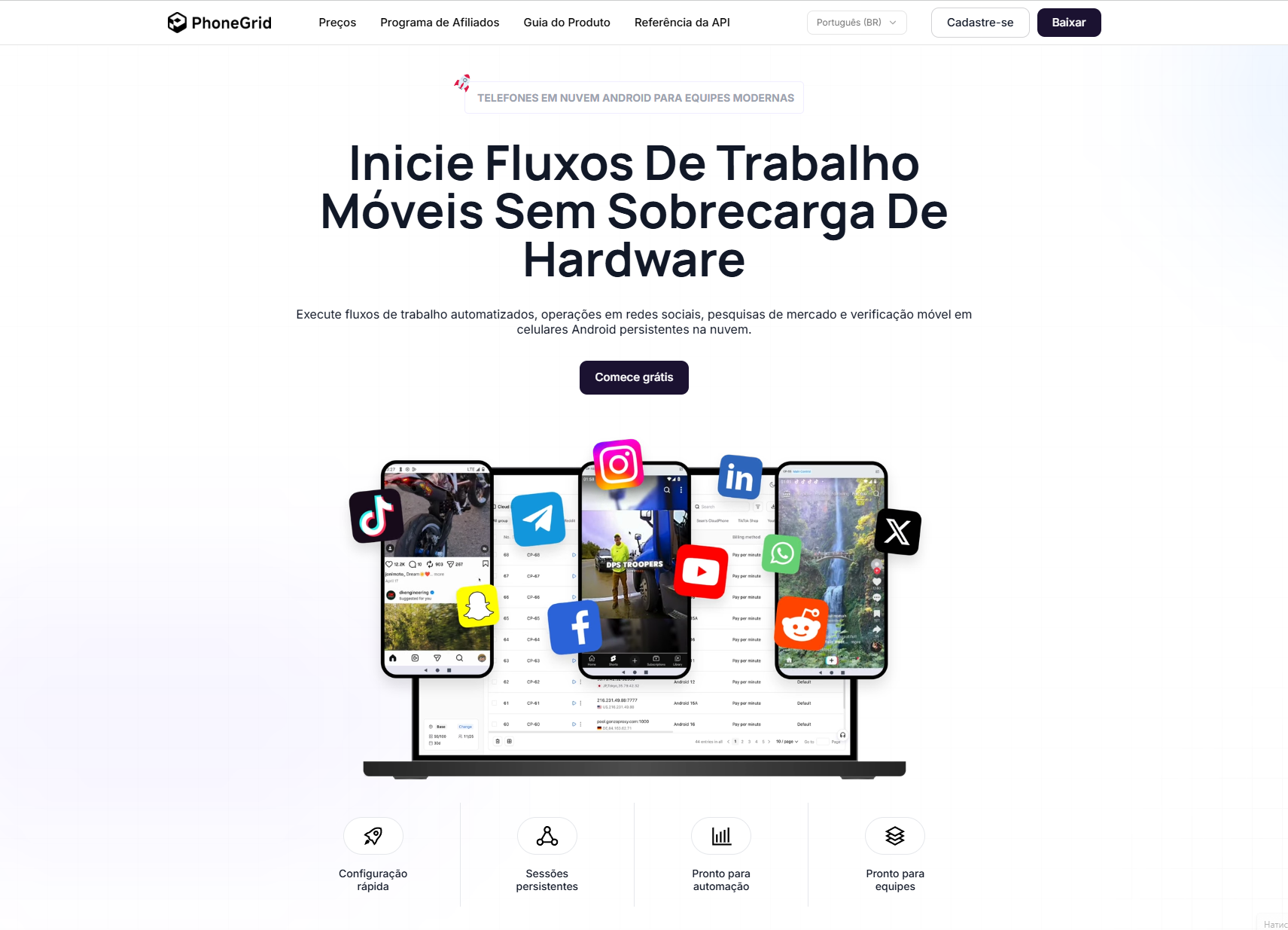
Today we are reviewing a promising new project — the PhoneGrid platform. If you are involved in traffic arbitrage, mobile development, or SMM, you know very well how much pain conventional emulators cause: apps detect them in no time, and ad networks ruthlessly ban accounts in bulk. Maintaining your own farm of real smartphones is also a questionable pleasure: devices run out of battery, overheat, and require constant monitoring.
PhoneGrid solves this problem by offering rentals of fully functional cloud Android devices. This is not emulation, but a real mobile environment. For the protective algorithms of Facebook, Google, or TikTok, you look like a regular person who just accessed the network from their phone. The service allows you to deploy the required capacities in a couple of clicks, check app performance, launch ads, or fully automate routine actions in social networks and other traffic sources.
Platform Advantages
- Session Stability: continuous operation of virtual devices without glitches or connection drops.
- Native Support: launching any mobile applications in their original environment.
- Smart Automation (RPA): creating and applying ready-made templates for behavioral factors.
- Action Synchronization: simultaneous control of a chain of devices in a single click.
- Developer Tools: full integration via API, an ecosystem of custom Skills scripts, and the MCP AI module.
- Team Management: a centralized control panel for collaborative projects and task distribution.
- Easy Scaling: rapid deployment of hundreds of new profiles for any volumes.
- Cloud Format (100% Cloud): zero costs for purchasing, maintaining, and depreciating physical hardware.
Registration in the Service
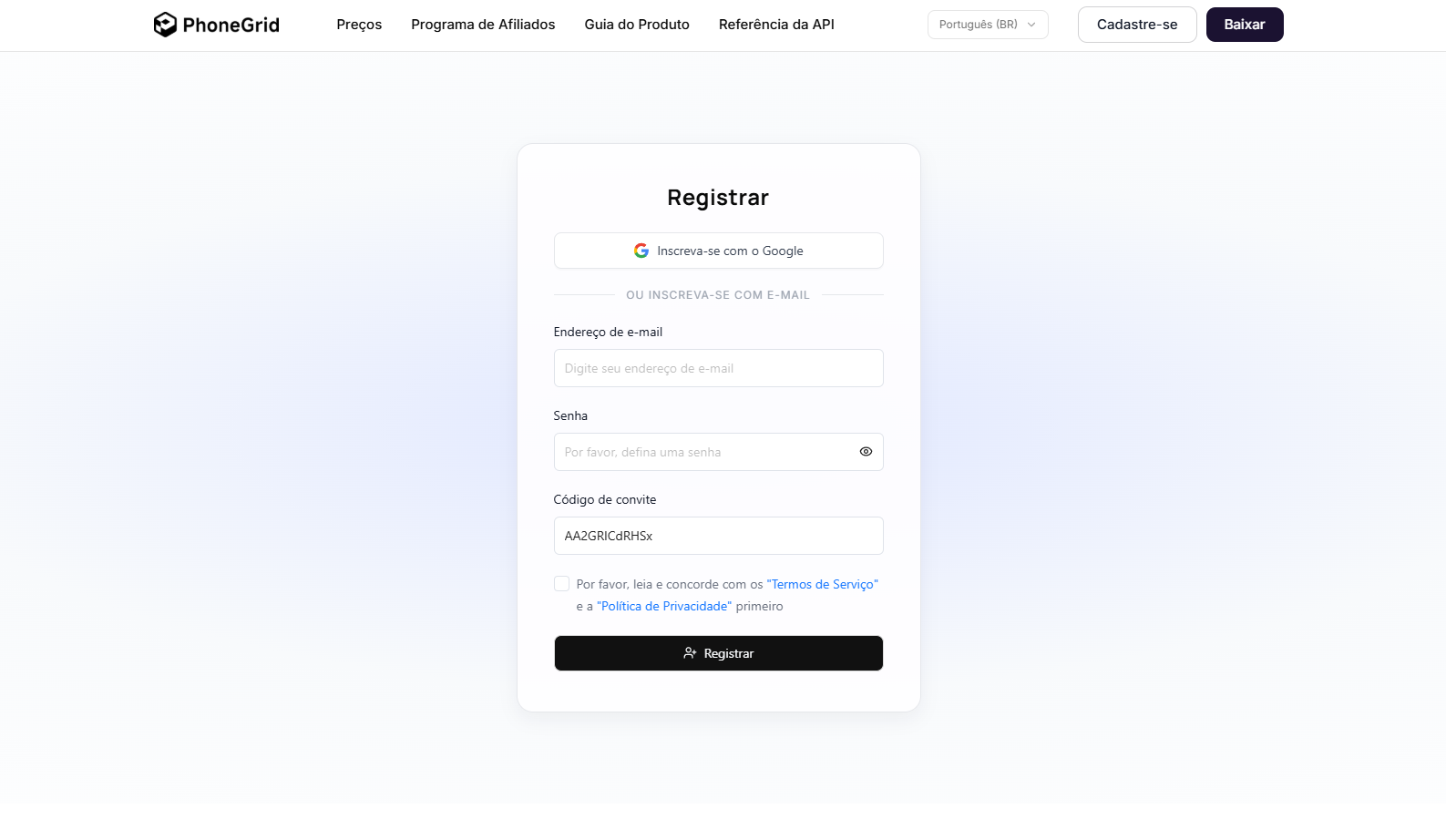
To create an account, go to the official PhoneGrid website and click “Registration”. Fill out the standard form (email and password) or use the quick login via Google profile. If you have an invitation code (invite), enter it at this same stage.
App: How to Launch a PhoneGrid Cloud Phone?
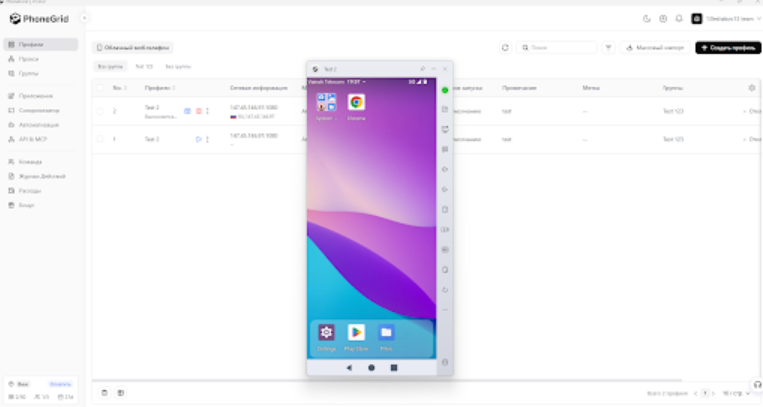
After registering and activating your account, you need to download the PhoneGrid desktop application — the developers offer stable builds for Windows and macOS. Upon your first login, select the area in which you plan to use cloud phones: from traffic arbitrage and cloud gaming to marketing and application development testing.
After that, you can proceed to creating virtual Android devices.
Important Nuance: At the moment, PhoneGrid does not provide its own proxies. You need to take care of purchasing them in advance, as it is impossible to complete the profile configuration without setting up a proxy server.
The launch process itself looks very simple:
- Specify how many cloud phones you will need for work.
- On the main screen, click the “Create Profile” button.
- Set up the profile settings: choose the device model, billing method, number of copies, etc.
- In the same window, enter the data of the prepared proxy.
That’s all. Go to the “Profiles” tab — all created virtual smartphones will appear there, and you can now launch and manage them in real time.
Practical Use Cases
Thanks to the ability to create action templates (RPA) and use device synchronization, the scope of application for PhoneGrid is as wide as possible:
- Deploying large-scale mobile farms.
- Mass content work and managing grids in social networks.
- Full QA testing of mobile software and applications.
- Audit, validation, and verification of ad rendering.
- Conducting in-depth market research.
- Automation of repetitive mobile operations.
- SMM, UBT operations, and traffic arbitrage.
- Building e-commerce funnels and detailed analysis of the mobile user journey.
The platform was initially designed with teamwork in mind, so the developers added all the necessary functionality for agencies and media buying offices:
- Shared authorized access to cloud phones.
- Quick sharing of current tasks between operators.
- Centralized management of independent workspaces.
- Convenient grouping of devices by projects, regions, or teams.
- Instant capacity expansion without purchasing physical equipment.
At the same time, cloud Android devices have obvious advantages over conventional smartphones: they do not require investment for purchase or repair, are always on, do not need recharging, provide access from different countries to a single device, and allow you to instantly launch any number of work sessions.
Features and Built-in Tools of PhoneGrid
Synchronizer
A tool for simultaneous management of multiple devices. You turn on synchronization, select one Android profile as the main one, and all accounts linked to it start to accurately replicate your actions in real time: clicks, scrolls, and navigations.
RPA Automation
One of the best assistants for a media buyer, arbitrageur, or SMM specialist. With this tool, you can set action templates (or use ready-made presets) that will be executed on your cloud Android devices. The module is great for emulating human actions, automated app testing, traffic management, content uploading, and account farming. Deep programming knowledge is not required — you can create scenarios in no-code/low-code mode with minimal or no coding skills.
API Integration
Allows you to seamlessly connect the PhoneGrid virtual smartphone infrastructure with your own software, trackers, analytics systems, or bots. You can set up the transfer of collected statistics, profile status data, command sending, or task progress monitoring.
MCP (AI Component)
A tool for connecting AI agents to the created cloud Android devices. Intelligent bots can independently launch applications, conduct basic tests, scroll feeds, click on the screen, and collect the necessary data without the need to manually control every phone.
Skills
Skills tools are designed to automate routine and monotonous tasks. You can record a sequence of actions or create your own script for clicks, launching apps, text input, etc. No programming code writing is required for this, and ready-made scripts can be launched simultaneously on multiple created Android devices.
Pricing Plans
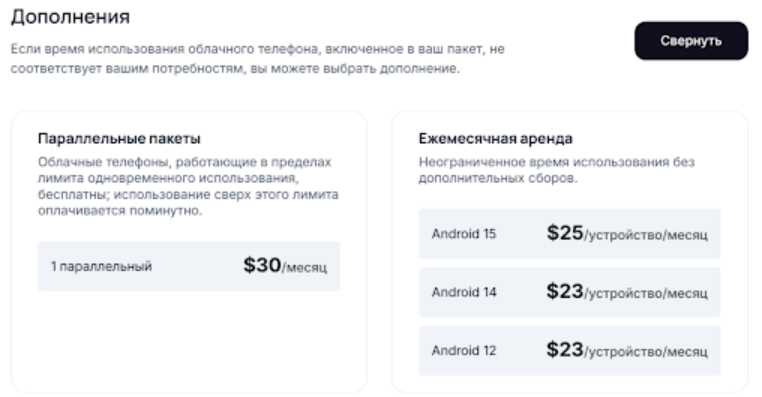
PhoneGrid offers two main pricing plans for users:
| Terms and Features | Free | Basic |
| Cost | 0 USD | from 3 USD / month (with annual payment) |
| Number of Profiles | 2 | 5 |
| Number of Free Participants | 2 | 5 |
| Included Minutes | 100 minutes (welcome bonus) | 50 minutes per month |
| RPA Automation | Supported | Supported |
| Synchronizer | Supported | Supported |
| In-network Profile Transfer | Supported | Supported |
| Operation Logs | Supported | Supported |
| Dedicated Customer Support | Unavailable | Available |
| Technical Support | Basic | Priority |
The average consumption is about 0.006 USD per minute and a maximum of 1.50 USD per day per profile. If necessary, Cloud Phone minutes can be purchased additionally in the personal account. If the standard pricing plans do not meet your requests (for example, you need more time), you can take advantage of additional parallel packages of minutes or subscribe to an unlimited monthly rental.
Supported Payment Systems
Topping up the account inside PhoneGrid with a strictly fixed amount is not required. Once you decide on the number of required profiles and their operation time, the payment amount will become clear. A wide choice of systems is available for payments:
- Bank Cards: VISA, MasterCard, American Express.
- Cryptocurrency: Bitcoin, ETH, Litecoin, DOGE, USDT (BSC), USDT (TRC20), USD Coin.
- For Customers from RF: Faster Payments System (SBP).
- Regional Payment Systems (depending on your GEO): MOMO, dragonpay, ininal, POKU Wallet, PAYNOW, South Africa Bank Transfer, M-PESA, airtel, tigo pesa, FPX, alfa, Pago, pix, Banco de Crédito BCP, redpagos, efecty, SPEI.
User Support
After registration, you can fully use the “Free” plan. To connect to a dedicated line for resolving customer requests and direct priority tech support, you need to switch to the “Basic” plan (from 3 USD per month).
PhoneGrid employees are ready to help with any questions that arise:
- Creating, launching, and fine-tuning cloud devices.
- Using the RPA module, Skills macros, and other tools.
- Processing and verifying payment.
- Connecting to the referral program and withdrawing funds.
It is also recommended to study the detailed help section PhoneGrid Documentation, which describes in detail various use cases of the service, the application of built-in automation tools, and the specifics of proxy integration.
Conclusion
PhoneGrid is a modern solution that ensures stable and secure operation with a large number of mobile devices. Unlike standard emulators, cloud Android devices from PhoneGrid are not blocked by native applications, social networks, and other traffic sources. A large number of automation tools allows you to instantly scale any work: from application testing to account farming and content creation — without investing huge funds in purchasing physical smartphones and other devices. All this, in turn, helps to increase the efficiency and profitability of your work.







Avaliações
Não há avaliações ainda.