Disclosure: This site may contain affiliate links. If you make a purchase through these links, I may receive a commission at no additional cost to you. However, all opinions are my own.
Quick conclusion: most users think Brave or incognito mode are sufficient protection. But when working with multiple accounts, standard browsers are almost useless. Large companies collect huge amounts of data at the browser level. Blocking trackers helps, but your digital fingerprint remains unchanged. To mask it, you need anti-detection systems like Multilogin.
When you need a truly secure browser, the usual options are few. This review compiles a list of the best secure browsers and analyzes which browser is considered the most secure and why.
What is a browser fingerprint and why is it important?
What makes a secure browser truly secure is not only blocking trackers, but also protecting against fingerprinting and isolating profiles. A browser fingerprint is a unique digital fingerprint of a device and browser, compiled from dozens of parameters.
- Screen resolution and color depth
- Installed fonts and OS version
- Time zone and system language
- GPU and CPU specifications
- Canvas and WebGL rendering
- List of media devices
- Browser version and extensions
According to research, 80–90% of fingerprints are unique—enough to recognize you without cookies. About a quarter of the top 10,000 websites already use fingerprinting scripts. Standard browsers can block trackers, but they don’t have the ability to significantly alter your fingerprint.
1. Multilogin — professional fingerprint virtualization
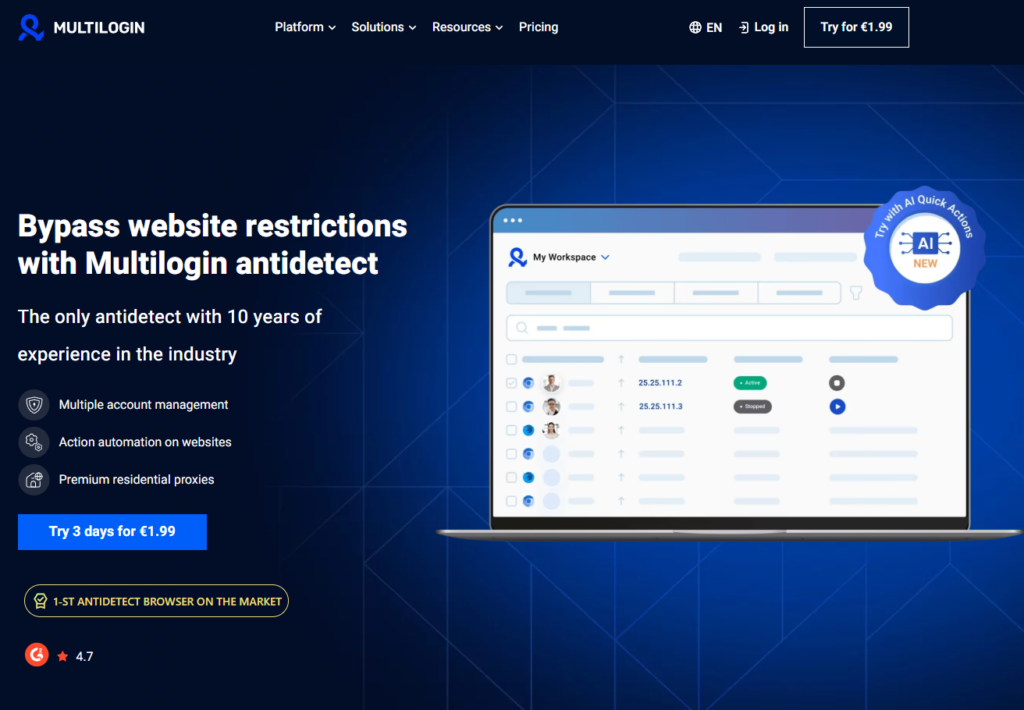
Multilogin is a browser fingerprint virtualization system, not just another “private” browser. In terms of control and isolation, it’s a solution in a different class than Brave, Opera, and similar browsers. Multilogin is the most secure browser for multiple accounts thanks to complete fingerprint spoofing and isolation.
How Multilogin Works
Each Multilogin profile contains 25+ customizable fingerprint parameters, including:
- Canvas and WebGL
- Time zone, language, geolocation
- Device model, GPU/CPU type
- Screen resolution and color depth
- Installed fonts and media devices
- WebRTC behavior and other parameters
The key point is the consistency of the parameters: the Canvas matches the GPU, the font set matches the OS, etc. This makes the fingerprint natural, and not “glued together” from random values.
Multilogin and multi-accounting
Multilogin allows you to create hundreds of completely isolated profiles, each appearing as a separate device. Profiles have their own cookies, cache, and history; profiles don’t share the same hard drive; and systems see a natural diversity of devices, not “one machine with a bunch of accounts.”
Example: one profile is “Windows + NVIDIA,” the other is “macOS + Intel GPU.” The service sees two different users with different devices.
Teamwork
For teams, Multilogin offers shared access to profiles, the ability to use the same virtual profile for a single account across multiple people, cloud-based profile storage (AWS), flexible access rights, and scalability from a couple of people to a large team.
Pros and cons
Pros:
- Full fingerprint spoofing (25+ parameters)
- True multi-accounting with high isolation
- Team collaboration and cloud profile synchronization
- API for automation
- Two engines: Chromium and Firefox
- Soft proxy support (including residential proxies)
Cons:
- Relatively high price (especially at large scale)
- Entry barrier for beginners
- Knowledge of basic fingerprinting principles is recommended
- Built-in proxy traffic is charged separately
Who is Multilogin for?
The tool is relevant for marketers, e-commerce specialists, SMM agencies, affiliate marketing, distributed teams, and QA/research, where it is necessary to check the service’s behavior from different “users.”
Multilogin promo code: FREEMULTI — grants a 3-day trial period, allowing you to create up to 5 profiles and 200 MB of free proxy traffic. The promo code is valid upon registration on the official Multilogin website. Registration link: multilogin.com.
2. GeeLark – mobile anti-detection for Android
GeeLark is a secure mobile anti-detection browser powered by cloud-based Android phones. While Multilogin handles desktop scenarios, GeeLark covers tasks that require mobile context.
Cloud Phones
This isn’t an emulator, but rather virtual Android devices in the cloud: you choose a cloud phone, install your favorite apps, and use it just like a real smartphone.
What does the profile receive?
- Unique phone number (by region/proxy)
- Unique IMEI
- Unique MAC/Bluetooth addresses
- Private IP (via proxy)
- ARM architecture, like on real devices
Browsers inside GeeLark
A custom GeeBrowser and Kiwi Browser (Chromium) are usually available internally. Both provide profiles with distinct fingerprints on the mobile side.
Pros and cons
Pros:
- Native mobile environment without emulators
- Unique device IDs (IMEI, MAC, etc.)
- No need for a powerful PC—everything runs in the cloud
- Convenient for phone-based apps
Cons:
- Less fingerprint depth: approximately 10-15 parameters versus 25+ for desktop solutions
- Stability and latency depend on the cloud phone provider
- This is a mobile, not a desktop, solution
- With a large number of devices, the cost may increase significantly
3. Brave – Simple Privacy with Randomization
Brave is a popular secure browser with aggressive tracker blocking and fingerprint randomization. It’s a great option for everyday use, but it’s not truly anti-detection.
Brave Shields
- Blocking third-party ads and trackers
- Replacing dangerous scripts with safer alternatives
- Forced use of HTTPS
- Protection against CNAME masking of trackers
- Reliance on EasyList, EasyPrivacy, and uBlock Origin lists
- Private browsing mode with Tor
Randomization instead of complete substitution
Brave adds “noise” to some parameters (such as Canvas), randomizes some APIs, and blocks highly identifying interfaces. However, the fingerprint isn’t completely replaced—many basic characteristics remain common to the device.
Pros and cons
Pros:
- Simplicity: just install and use
- Built-in ad and tracker blocking
- Randomization of several parameters
- Tor mode and additional privacy tools available
- Open source code
Cons:
- No true multi-accounting
- Not a complete fingerprint replacement
- Effective primarily against simple trackers
4. Comet — a browser with a built-in AI assistant

Comet is a browser with deep Perplexity AI integration. It enhances workflows with a built-in assistant, but doesn’t focus on deep fingerprint spoofing.
Built-in Perplexity AI
- Perplexity-powered search by default
- responses in the form of ready-made conclusions, not just links
- The assistant “reads” open tabs, summarizes, and explains
- convenient for analyzing long texts and comparing sources
Task automation
- Searching for and selecting flights/hotels based on your needs
- Filling out forms and assisting with correspondence
- Building multi-step scenarios (“Find first, then book”)
- Accounting for the context of open tabs
Privacy in Comet
Basic measures are in place: ad and tracker blocking, a password manager, and Privacy Snapshot to monitor AI activity. However, fingerprints are largely unmasked, and some data for AI operations is sent to the service’s servers.
Pros and cons
Pros:
- A powerful AI assistant right in your browser
- Automate multi-step tasks
- Comfortable work with research and long texts
Cons:
- Basic level of privacy
- No fingerprint spoofing or multi-accounting
- AI data is stored on external servers
5. Opera/Opera GX — VPN and tips for gamers
Opera/Opera GX are popular browsers with a built-in browser VPN and convenient tools for gamers. They offer convenience and some privacy, but not comprehensive protection against fingerprinting.
Built-in VPN
- Free browser VPN
- Browser traffic encryption (256-bit)
- No logging of visited pages (within the browser)
Limitation: Opera’s VPN is a browser-based VPN, meaning it only protects traffic within the browser and does not mask your fingerprint.
Opera GX for gamers
- RAM Limiter — limits memory usage
- CPU Limiter — limits processor load
- Network Limiter — limits bandwidth
- Visual and audio customization
Pros and cons
Pros:
- Built-in browser VPN
- Resource control tools in GX
- Ad and tracker blocking
- Low entry threshold
Cons:
- No anti-fingerprinting
- VPN only works at the browser level
- Impossible to implement adequate multi-accounting
- Closed-source code raises questions among privacy advocates
6. DuckDuckGo Anonymous Browser
Launched in 2008, DuckDuckGo is a search engine/browser designed with user privacy in mind. Unlike Google, which creates detailed profiles based on your search history, location, and personal data, DuckDuckGo claims complete anonymity. It doesn’t store personal data, doesn’t log your search history, and doesn’t stalk you online with ads.
Pros:
- Maximum search privacy. Doesn’t store IP addresses, search history, or User Agent, and doesn’t create user profiles.
- No personalized advertising. Advertising isn’t tied to your identity, interests, or search history.
- Blocking third-party trackers. The DuckDuckGo app and extension block trackers from Google, Facebook, and other companies.
- Preventing search query leaks. Searches aren’t transmitted to websites you visit.
- HTTPS Everywhere. Automatically switches websites to a secure encrypted connection where possible.
- Global Privacy Control (GPC) support. Automatically signals websites not to sell or share their data.
Cons:
- Doesn’t hide your IP address. Doesn’t replace a VPN—your ISP, government, and websites can still see your IP.
- Limited protection on websites you visit. If a website uses cookies, fingerprinting, or its own trackers, DuckDuckGo doesn’t completely hide them.
- Dependent on Bing. The primary search results are taken from Microsoft Bing, which may impact the completeness and quality of the results.
- No extensive ecosystem of services. There are no alternatives to Gmail, Google Maps, Drive, or YouTube.
- Local data remains vulnerable. Autocomplete history, cache, and cookies may remain on your device if they are not cleared.
- Search results are sometimes less accurate than Google’s, especially for local queries, maps, products, and complex technical topics.
Table: Browser Comparison
| Browser | Rank | Fingerprint Spoofing | Multi-accounts | Parameters | Isolation | Price |
|---|---|---|---|---|---|---|
| Multilogin | #1 | ✅Full | Yes | 25+ | Maximum | €9–159/mo |
| GeeLark | #2 | ⚠️Partial | ✅Yes (mobile) | 10–15 | High | Depends on provider |
| Brave | #3 | ⚠️Randomization | ❌No | 3–5 | Medium | Free |
| Comet | #4 | ❌No | ❌No | 0–2 | Minimal | Free |
| Opera/Opera GX | #5 | ❌No | ❌No | 0–2 | Minimal | Free |
| DuckDuckGo Browser | #6 | ⚠️Minimal (tracker blocking) | ❌No | 2–4 | Medium | Free |
Conclusion or Quickly choose a browser for your needs
Multilogin promo code: FREEMULTI — grants a 3-day trial period, allowing you to create up to 5 profiles and 200 MB of free proxy traffic. The promo code is valid upon registration on the official Multilogin website. Registration link: multilogin.com.
- Everyday private surfing → Brave
- Powerful multi-accounting on desktop → Multilogin
- Mobile anti-detection → GeeLark
- AI assistant for browsing → Comet
- Games + resource control + built-in VPN → Opera GX
Browsers like Brave and Opera are all about privacy and convenience, not fingerprint-level anonymity. For tasks that require real fingerprint spoofing and scalable multi-accounting, anti-detection products are suitable.
Multilogin and GeeLark represent the anti-detection class: Multilogin is for desktop and teamwork; GeeLark is for mobile scenarios. Brave, Comet, and Opera remain excellent tools for other tasks (everyday browsing, AI assistance, gaming).