

IPFLY Review: SOCKS5 UDP Proxy Tests, Pricing & Features
2.50$
Dedicated static IPs and unmetered bandwidth. 90M+ residential pool in 190+ regions with full SOCKS5 UDP support for antidetect browsers.
Description
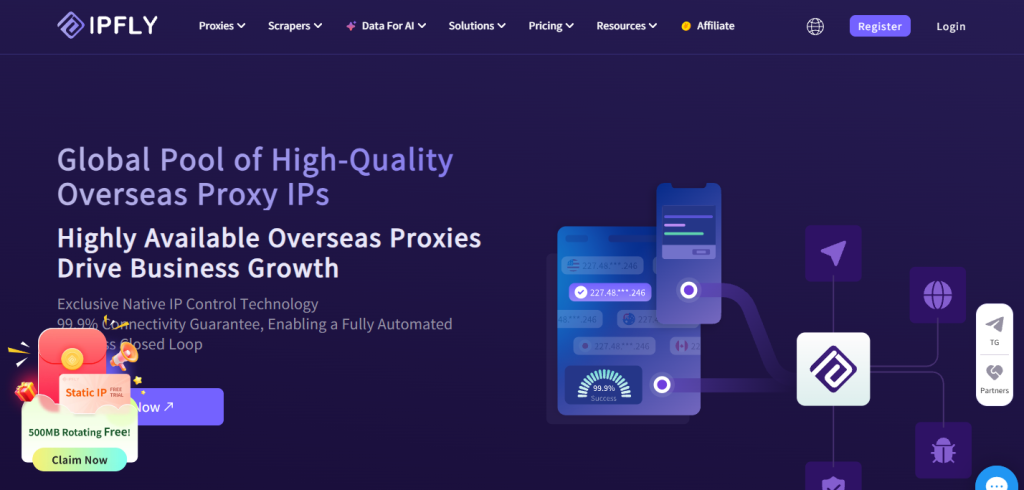
IPFLY is a proxy service offering residential, static ISP, and datacenter proxies for a range of use cases, from browser profile management to automation and data collection.
According to IPFLY, its residential proxy network includes more than 90 million IP addresses across over 190 countries and regions. Residential proxies support geo-targeting, IP rotation, and sticky sessions, while static ISP or Datacenter proxies can be used for tasks that require a consistent IP address.
The service supports HTTP, HTTPS, and SOCKS5, while one of its more notable technical features is the claimed support for UDP over SOCKS5. In this review, we will go beyond describing IPFLY’s features and test UDP traffic transmission in practice.
For use with antidetect browsers, IPFLY provides standard proxy configuration using the server address, port, username, and password, as well as its own integration guides for AdsPower, DICloak, BitBrowser, and other software. We also tested IPFLY proxies with Afina, Dolphin Anty, GeeLark, and Vision.
Below, we will examine IPFLY’s proxy types, IP management features, integrations, data export options, and the results of our SOCKS5 UDP testing.
IPFLY Services
IPFLY offers three main types of proxy services: Residential proxies; Static ISP proxies; Datacenter proxies.
Residential Proxies
IPFLY’s residential proxies route requests through IP addresses assigned to regular home internet users across various countries and regions. According to the provider, its residential network covers over 190 countries and regions with a pool exceeding 90 million IPs. Users can target IPs by country, region, city, and ASN. For tasks requiring a consistent IP over a given period, sticky sessions are available.
Residential proxies are suitable for:
- Web scraping and data collection;
- Price and website monitoring;
- Checking localized search results and geo-restricted content;
- Automated HTTP requests;
- Working with target sites sensitive to datacenter IP ranges.
When choosing residential proxies, keep in mind that the total network size does not guarantee equal coverage across all locations. If your workflow requires specific geography, it is best to verify availability for that location in advance.
Static ISP Proxies
Static ISP proxies combine a permanent, dedicated IP address with real consumer ISP ASN infrastructure. IPFLY offers dedicated IPs in this category featuring real ISP ASNs, HTTP(S) and SOCKS5 protocol support, and unlimited traffic. Unlike rotating residential proxies, a static ISP IP remains constant across sessions. This makes ISP proxies ideal for long-term IP retention needs.
Typical use cases include dedicated profiles in antidetect browsers and other tasks where frequent network environment changes are undesirable.
Datacenter Proxies
Datacenter proxies utilize IP addresses assigned to data centers. IPFLY provides dedicated static datacenter IPs with support for HTTP, HTTPS, and SOCKS5.
This category also comes with unmetered bandwidth.
Datacenter proxies are best suited for tasks like high-volume automation, continuous monitoring, and querying target platforms that accept datacenter IP ranges.
Pricing and Promo Code
At the time of review, IPFLY lists the following starting prices on its website:
| Proxy Type | Starting Price |
| Residential Proxies | From $1 / GB |
| ISP Proxies | From $2.50 / IP |
| Datacenter Proxies | From $4.50 / IP |
Note that these are strictly base rates. The final cost depends on the selected package size, total IP volume, bandwidth limits, and other rental terms.
For ISP and Datacenter plans, the main pricing section lists the cost per IP without clearly specifying the rental duration. Therefore, these figures should not be assumed as monthly rates per IP without checking the parameters of a specific plan.
IPFLY supports several payment methods, including PayPal, Visa, and USDT.
Get a 20% permanent discount on all repeat proxy purchases and renewals. Paste code at checkout! ⭐ Read our IPFLY Review →
More LessAdvantages
One of IPFLY’s main strengths is combining multiple proxy types within a single platform. Users can easily switch between a large rotating residential pool and static ISP or Datacenter IPs, depending on their specific requirements.
Key advantages include:
- Over 90 million residential IPs (according to IPFLY data);
- Coverage spanning 190+ countries and regions;
- Precise geo-targeting by country, region, and city;
- ASN targeting;
- Sticky session support;
- Dedicated static ISP proxies;
- Dedicated datacenter IPs;
- Support for HTTP, HTTPS, and SOCKS5 protocols;
- SOCKS5 with UDP support;
- Integration guides for major antidetect browsers;
- Multiple payment options: PayPal, credit cards, and USDT.
Having access to residential, ISP, and datacenter proxies in one place makes it easy to handle diverse project workflows without juggling multiple service providers.
Testing SOCKS5 UDP Support
IPFLY’s support for UDP over SOCKS5 deserves a closer look.
Simply having SOCKS5 support does not automatically mean a proxy can forward UDP traffic. Many proxy servers implement SOCKS5 solely for TCP connections.
IPFLY explicitly claims UDP support. In particular, the provider mentions it directly in its documentation when describing proxy usage for Telegram, including voice and video calls.
Technically, the SOCKS5 protocol includes the UDP ASSOCIATE command, which allows a client to send UDP datagrams through a proxy server. This functionality is essential for apps and protocols relying on UDP, such as VoIP and certain messenger features.
However, UDP support must be implemented on both sides: by the IPFLY proxy itself and by the client software you use. If an application only routes TCP traffic through SOCKS5, proxy-level UDP support will not change that behavior.
A standard browser-based IP check cannot verify UDP performance—it only confirms that a TCP connection was established through the proxy.
To go beyond IPFLY’s official claims, we tested UDP support independently. We wrote a custom PHP script that establishes a SOCKS5 connection, executes the UDP ASSOCIATE command, and sends a real DNS query to 1.1.1.1:53 through the returned UDP relay.
This test verifies not just whether the proxy formally accepts the UDP ASSOCIATE command, but whether actual UDP traffic is routed through SOCKS5.
You can use this script to test other proxy providers as well—simply replace the hostname, port, username, and password.
php <<'PHP'

$proxy = "accel.ipflygates.com";
$port = 5001;
$user = "USERNAME";
$pass = "PASSWORD";

function readExact($s, $n) {
$data = "";
while (strlen($data) < $n) {
$part = fread($s, $n - strlen($data));
if ($part === false || $part === "") {
throw new Exception("Incomplete TCP response or timeout");
}
$data .= $part;
}
return $data;
}

function readAddress($s, $type) {
switch ($type) {
case 1: return inet_ntop(readExact($s, 4));
case 3: return readExact($s, ord(readExact($s, 1)));
case 4: return inet_ntop(readExact($s, 16));
default: throw new Exception("Unknown address type");
}
}

try {
$tcp = @stream_socket_client("tcp://$proxy:$port", $errno, $errstr, 5);
if (!$tcp) throw new Exception("TCP: $errstr");
stream_set_timeout($tcp, 5);

fwrite($tcp, "\x05\x01\x02");
if (readExact($tcp, 2) !== "\x05\x02") {
throw new Exception("Server did not select username/password authentication");
}
fwrite($tcp, "\x01".chr(strlen($user)).$user.chr(strlen($pass)).$pass);
if (readExact($tcp, 2) !== "\x01\x00") {
throw new Exception("Authentication failed");
}

fwrite($tcp, "\x05\x03\x00\x01".str_repeat("\x00", 6));
$h = readExact($tcp, 4);
if ($h[0] !== "\x05" || $h[2] !== "\x00") {
throw new Exception("Invalid SOCKS5 response");
}
if (ord($h[1]) !== 0) {
throw new Exception("UDP ASSOCIATE: reply code ".ord($h[1]));
}

$relay = readAddress($tcp, ord($h[3]));
$relayPort = unpack("n", readExact($tcp, 2))[1];
if ($relay === "0.0.0.0" || $relay === "::") {
$peer = stream_socket_get_name($tcp, true);
$relay = trim(substr($peer, 0, strrpos($peer, ":")), "[]");
}
if (!$relayPort) throw new Exception("Server returned UDP port zero");

$host = strpos($relay, ":") !== false ? "[$relay]" : $relay;
$udp = @stream_socket_client("udp://$host:$relayPort", $errno, $errstr, 5);
if (!$udp) throw new Exception("UDP: $errstr");
stream_set_timeout($udp, 5);

// DNS A query for example.com sent through the UDP relay to 1.1.1.1:53.
$id = random_bytes(2);
$dns = $id.pack("nnnnn", 0x0100, 1, 0, 0, 0)
. "\x07example\x03com\x00".pack("nn", 1, 1);
$packet = "\x00\x00\x00\x01".inet_pton("1.1.1.1").pack("n", 53).$dns;

fwrite($udp, $packet);
$reply = fread($udp, 4096);
if ($reply === false || strlen($reply) < 4) {
throw new Exception("No UDP response: UDP data transfer not confirmed");
}
if (substr($reply, 0, 3) !== "\x00\x00\x00") {
throw new Exception("Invalid SOCKS5 UDP header or fragmented datagram");
}

$type = ord($reply[3]);
switch ($type) {
case 1: $offset = 10; break;
case 4: $offset = 22; break;
case 3:
if (strlen($reply) < 5) throw new Exception("Response too short");
$offset = 7 + ord($reply[4]);
break;
default: throw new Exception("Unknown UDP address type");
}
$answer = substr($reply, $offset);
if (strlen($answer) < 12 || substr($answer, 0, 2) !== $id || !(ord($answer[2]) & 0x80)) { throw new Exception("No matching DNS response received"); } echo "[OK] UDP is working: DNS response received through SOCKS5.\n"; } catch (Throwable $e) { echo "[FAIL] ".$e->getMessage()."\n";
exit(1);
}
PHP
In our test, the execution completed successfully: [OK] UDP is working: DNS response received through SOCKS5.
This confirms that the tested IPFLY proxy genuinely forwards UDP traffic over SOCKS5: the DNS query successfully traversed the UDP relay, and a valid response was returned through the proxy.
Note that while this test verifies functional UDP routing, it does not measure connection quality for real-time applications like VoIP or video calling. Evaluating call performance requires separate benchmarks for latency, jitter, packet loss, and connection stability.
Antidetect Browser Integrations
- Select the proxy type and geo-location in IPFLY.
- Retrieve connection parameters from the user dashboard.
- Create a new profile in AdsPower.
- Select the protocol: HTTP, HTTPS, or SOCKS5.
- Enter the host, port, username, and password.
- Test the connection and save the profile.
- IP:
xxx.xxx.xxx.xxx - ISP: SkyQuantum Internet Service
- Geolocation: Houston, Texas, US
- Timezone:
America/Chicago
Proxy Export and Import
The IPFLY dashboard allows users to export selected proxies to JSON and XLSX formats. This feature is particularly convenient when managing large proxy lists rather than individual addresses.
However, the exported file format does not necessarily match the specific import templates used by different antidetect browsers. In our tests, the raw file generated by IPFLY could not be directly imported into Afina, Dolphin Anty, or Vision, so we added the proxies manually for testing purposes.
GeeLark supports proxy imports via XLSX; however, the file exported directly from IPFLY could not be imported into GeeLark without prior reformatting.
This is not a major issue. The JSON export option makes it easy to transform the proxy list into whatever format a specific browser requires—whether that is CSV, XLSX, a plain text list, or a custom import template. This flexibility is especially useful for automation workflows and managing large volumes of addresses.
In short, IPFLY provides structured and accessible data, but bulk imports may occasionally require reformatting to fit a specific antidetect browser’s template.
Managing Multiple Proxies
The IPFLY control panel also supports bulk management operations for selected proxies. For example, you can change the port for multiple addresses simultaneously. When working with large proxy pools, bulk editing saves time compared to modifying addresses individually and complements the export options well.
Based on our testing, IPFLY proxies function properly with Afina, Dolphin Anty, GeeLark, and Vision. For a small number of profiles, manual setup is straightforward, while larger operations benefit from exporting data as JSON or XLSX and reformatting it for the target browser’s import requirements.
Conclusion
IPFLY is a versatile proxy provider offering three core service lines: residential, static ISP, and datacenter proxies.
Its residential network stands out for its extensive location coverage and flexible IP rotation controls. Static ISP proxies are well-suited for workflows requiring persistent IP retention, while datacenter proxies offer a traditional option for dedicated server-based IPs.
A distinct technical advantage of IPFLY is its confirmed support for SOCKS5 with UDP—a crucial feature for applications that require more than standard TCP proxying.
Additional strengths include ready-to-use integration guides for popular antidetect browsers, access to multiple proxy categories within a single account, and flexible payment options via PayPal and USDT.
Before committing to a large package, we recommend starting with a small test plan to verify network speeds, connection stability, target location coverage, and compatibility with your specific target platforms or applications.
IPFLY Contacts
- Website: ipfly.net
- Languages: Chinese and English. The official website, documentation, and user dashboard are available in English.
Customer Support & Contacts
- Email: support@ipfly.net
- Live Support: Available 24/7 directly on the IPFLY website; dedicated account managers are provided for enterprise clients.
- Payment Methods: PayPal, Visa, USDT, and Alipay.
- Clients & Partners: IPFLY claims over 10,000 global partners.

- Online website virus check: international services and protection against hacking - 29.10.2026
- Best Proxy Providers for Web Scraping: How to Choose by Target, Session Type, and IP Quality - 21.10.2026
- Running an Ollama Server on a Non-GPU VPS: Your Own AI Assistant Without Overpaying for Hardware - 17.09.2026










Meiyi –
Thanks for the detailed review! I’ve been using IPFLY mostly for multi-account management, and stability has been pretty solid so far. Just wondering, how does the proxy performance hold up during peak traffic hours when running large-scale web scraping tasks?