
Detailed Review of Octo Anti-Detect Browser
10.00$
An anti-detection browser designed for managing multiple online accounts while maintaining anonymity and protection from detection systems. It allows you to create unique profiles with modified digital fingerprints, helping to avoid blocking and data leaks.
Description
Disclosure: This site may contain affiliate links. If you make a purchase through these links, I may receive a commission at no additional cost to you. However, all opinions are my own.
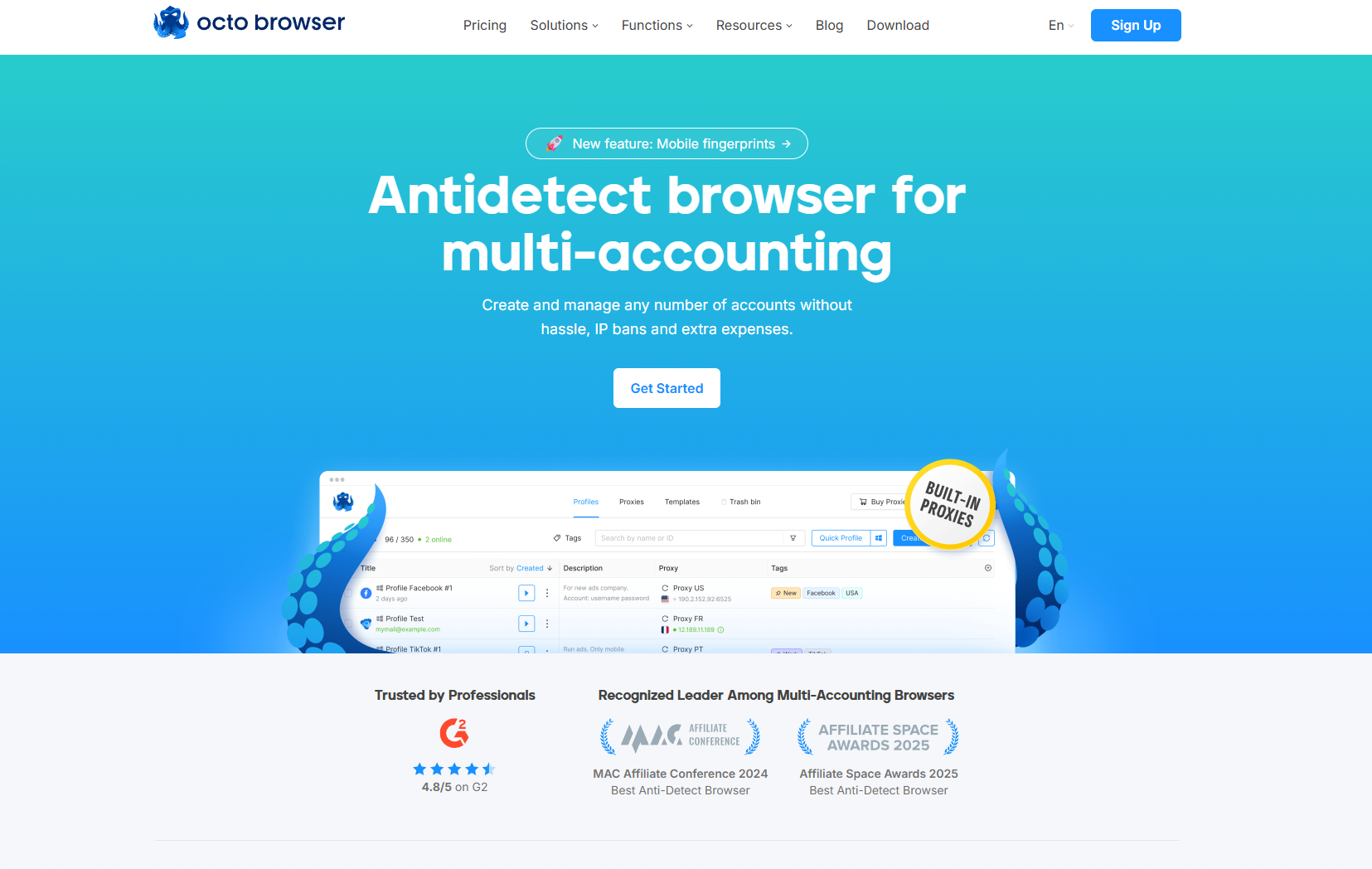
Octo Browser is an anti-detect browser with best-in-class digital fingerprint spoofing. Octo stands out due to its technical sophistication, stability, and ease of use. It is the best tool for any tasks that require using multiple profiles.
Main Advantages of Octo Browser
Get 30% off your first purchase of any subscription for any billing period. Paste code at checkout. ⭐ Read our Octo Browser Review →
More LessHigh-Quality Fingerprint
Each profile in Octo Browser receives a separate digital fingerprint formed based on real user data. The Octo team regularly updates Chromium and tracks changes in anti-detect technologies to ensure profiles look consistent and blend in with general user traffic.
Thanks to high-quality and stable fingerprints, Octo is suitable for working with all popular platforms, such as Google and Meta. The browser passes checkers seamlessly: Pixelscan, BrowserLeaks, Whoer, CreepJS, and IP-API.
Convenient Proxy Management
In addition to the standard proxy manager typical for anti-detect browsers, Octo features an internal proxy shop. It helps save time on finding and verifying third-party providers: verified residential proxies are available right inside and can be immediately put to work.
If you already have a reliable provider, it can also be connected. Octo supports popular proxy protocols: HTTP, HTTPS, SOCKS5, and SSH.
Teamwork on Profiles
Octo Browser is suitable not only for solo work but also for distributed teams. Profiles can be transferred between users without changing the fingerprint, tagged, tracked via activity history, and have roles configured for managers.
A flexible access system helps separate zones of responsibility within the team: who can launch profiles, who can edit them, who can transfer them, and who can only work with an already prepared environment. This reduces the risk of errors, data leaks, and unnecessary checkpoints during teamwork.
Fast and High-Quality Tech Support
The Octo Browser team always helps to figure out settings, errors, unusual profile behavior, and questions regarding work scenarios.
If a problem requires deep analysis, support specialists can connect remotely and check the situation on-site. For standard questions, you will get a clear explanation, and for complex ones — a specific solution or a working workaround.
Security
Octo Browser pays special attention to the protection of user data. Profile data is hosted on European cloud servers and protected by end-to-end encryption. Only the account owner has access to it. Even the Octo support team cannot view the content of the profiles.
For additional account protection, two-factor authentication is available in Octo. It helps maintain control over the account even if the password has been compromised.
For particularly important profiles, you can set a separate password. Only you will know it. It is not stored in plain text and is inaccessible to other team members or the support service, so be careful with this protection tool.
Automation
Routine actions shouldn’t consume the team’s time. In Octo Browser, you can automate work with profiles and accounts via API, as well as use popular libraries for browser control.
This is convenient if you need to bulk-create profiles, run repetitive scenarios, connect Octo to internal team tools, or build your own processes on top of the browser infrastructure.
The API is available on the Base subscription and higher.
How to Start Using Octo Browser
Registration and Launching a Profile
You can start working with Octo Browser on the official website. Click the “Registration” button in the upper right corner of the page, create an account, and install the browser on your device.
After registration, you can use the promo code
Ganhe 30% de desconto na primeira compra de qualquer assinatura por qualquer período. Use o cupom. ⭐ Leia nossa Avaliação do Octo Browser →
More Less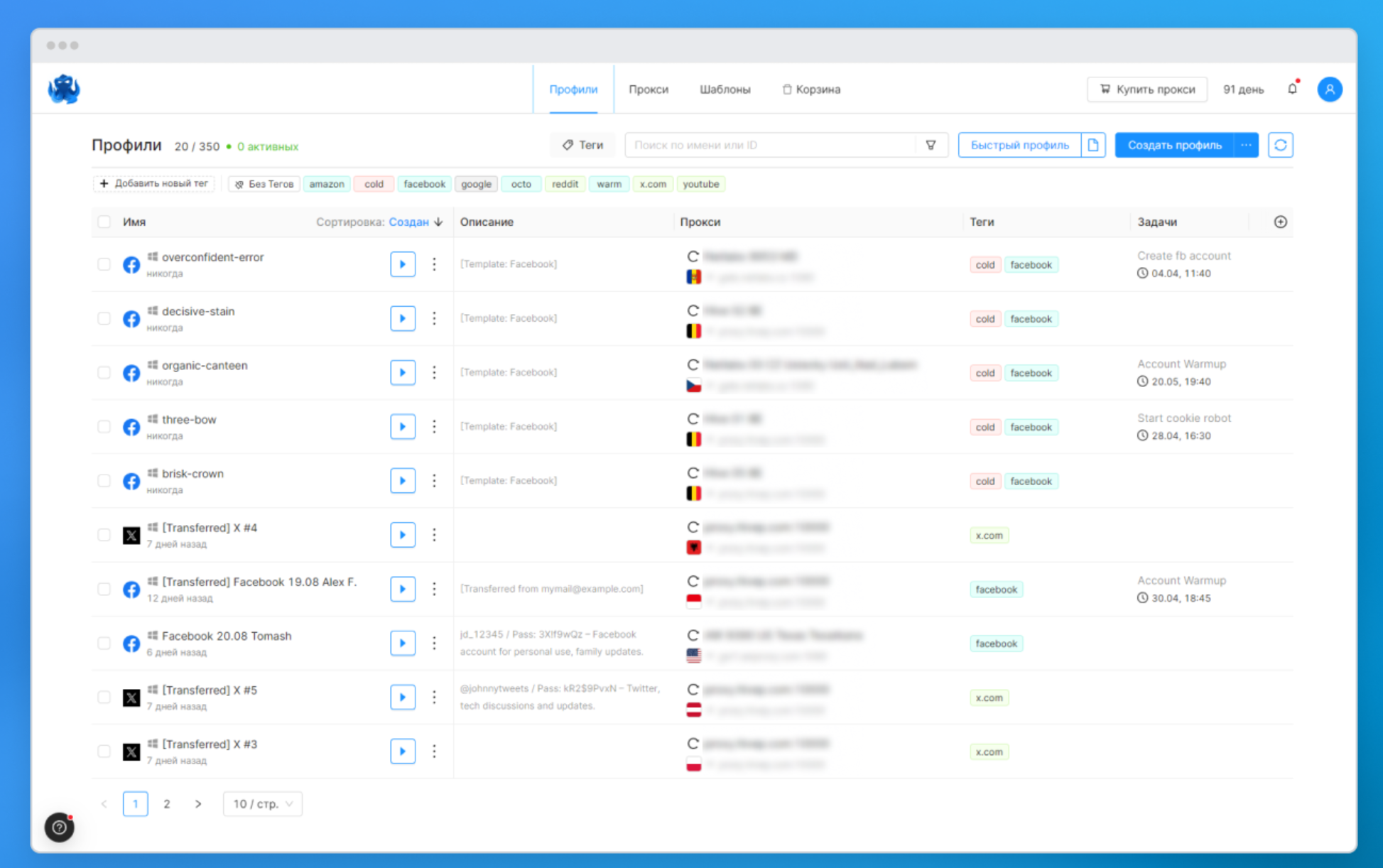
To launch a profile, select it from the list and click “Start”. Octo Browser will check the connection, apply the selected settings, and open the profile with a separate browser environment.
Create a Profile
There are several ways to create a profile in Octo Browser — from a quick launch to detailed manual configuration.
A quick profile is suitable if you need to create a working environment without unnecessary actions. Octo will automatically select digital fingerprint parameters and prepare the profile for launch.
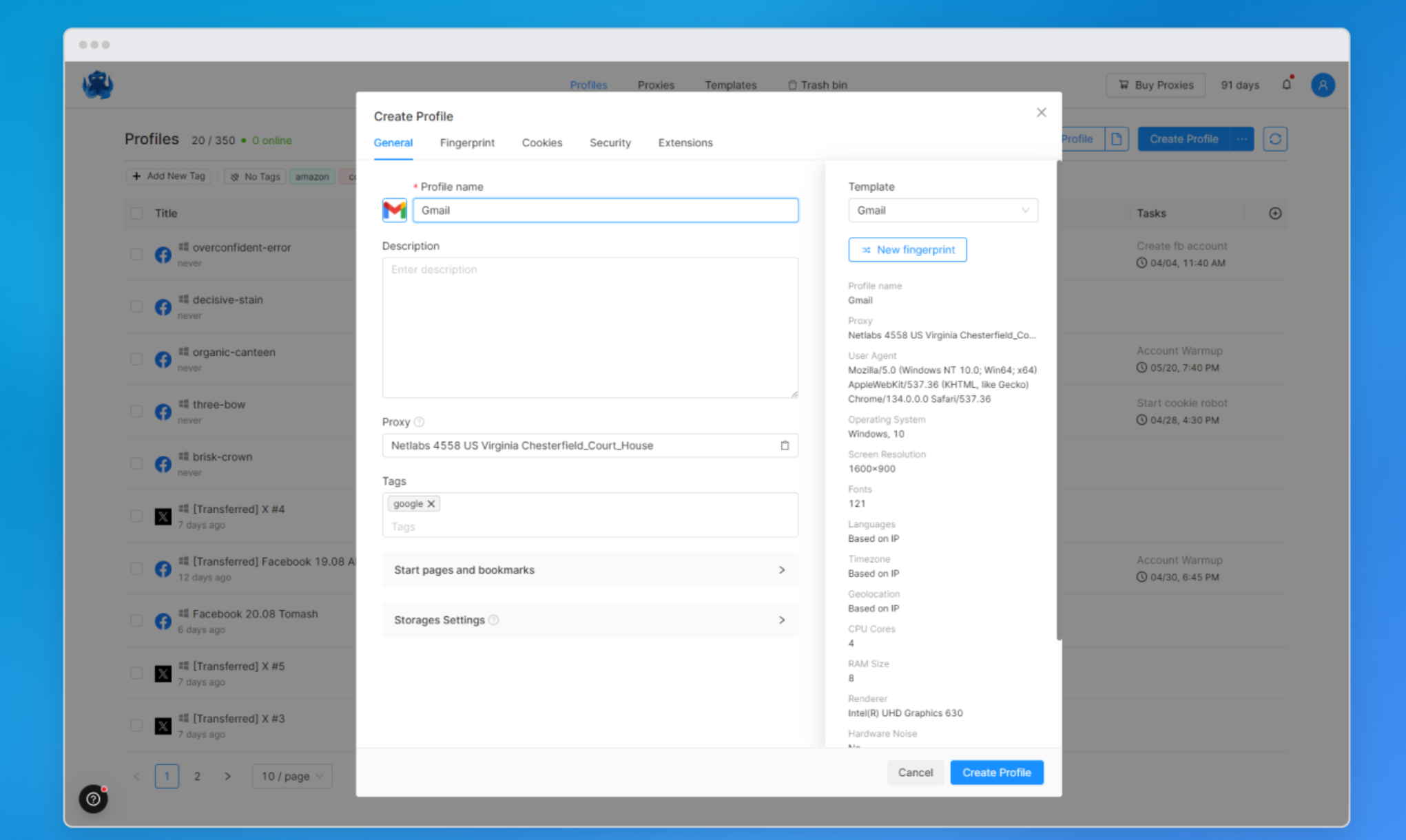
If you know exactly what settings you need for your task, you can simply click on the “Create Profile” button. Here you can manually configure profile parameters, proxies, cookies, extensions, start pages, and other details.
Also, in Octo, you can create profiles from templates or use bulk creation. To do this, just upload a file with ready-made parameters. The supported formats are .csv, .txt, and .xlsx.
Digital Fingerprint Configuration
We have already mentioned the digital fingerprint several times. It includes device, system, and browser parameters: user-agent, system language, processor, graphics card, number of microphones and speakers, hardware noise, and other characteristics.
In Octo Browser, you can manually configure more than 50 interconnected parameters. You can set up profiles even for the most complex scenarios where precise control over the profile environment is crucial.
If there are no special requirements, developers recommend using quick profiles with automatic settings. Octo will select a consistent set of parameters so that the profile looks like a regular user environment without manual configuration of each field.
Proxy Configuration
Octo Browser has a built-in proxy shop. It helps save time on finding and checking third-party services: verified residential proxies are available inside and can be immediately connected to profiles.
If you already have a reliable provider, it can also be used. Octo supports popular proxy protocols: HTTP, HTTPS, SOCKS5, and SSH.
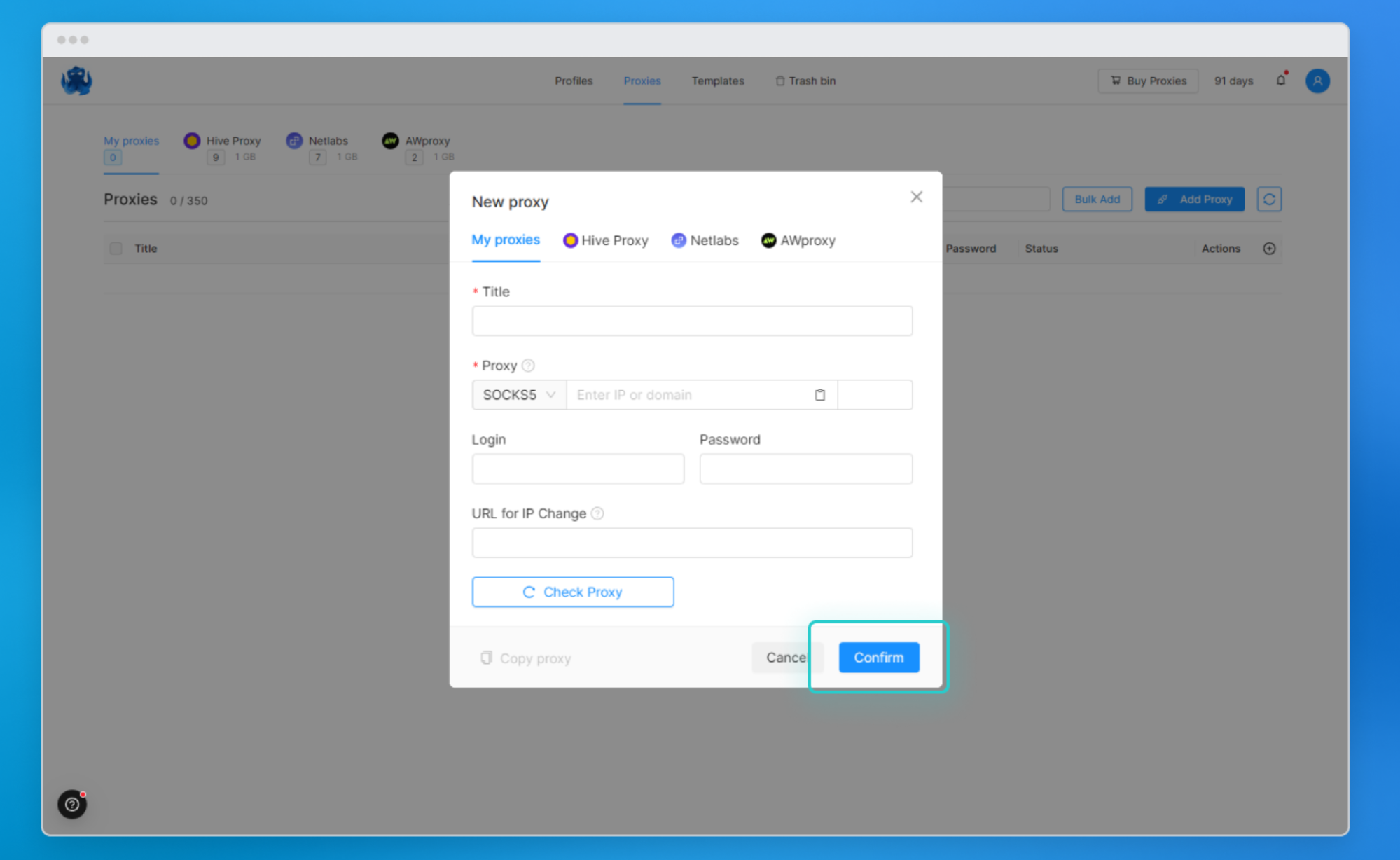
You can use the proxy manager. It allows you to save proxies to a special quick-access list and connect them to profiles without re-entering data. This is convenient for a team’s permanent infrastructure or a large set of profiles.
Temporary proxies are also available. They are entered manually and are not saved in the proxy manager. This option is suitable for one-off tasks when the proxy doesn’t need to be added to the general list.
Teamwork
Octo Browser is suitable for distributed work: a team can manage profiles, allocate access permissions, track actions, and maintain order even with a large number of accounts. Team features are available on Team and Advanced subscriptions.
Tags are convenient for navigating through profiles. They can be assigned by work stages, platforms, responsible managers, or any internal team rules. For example: “farming”, “warming up”, “payment”, “Google”, “Facebook”, “crypto”.
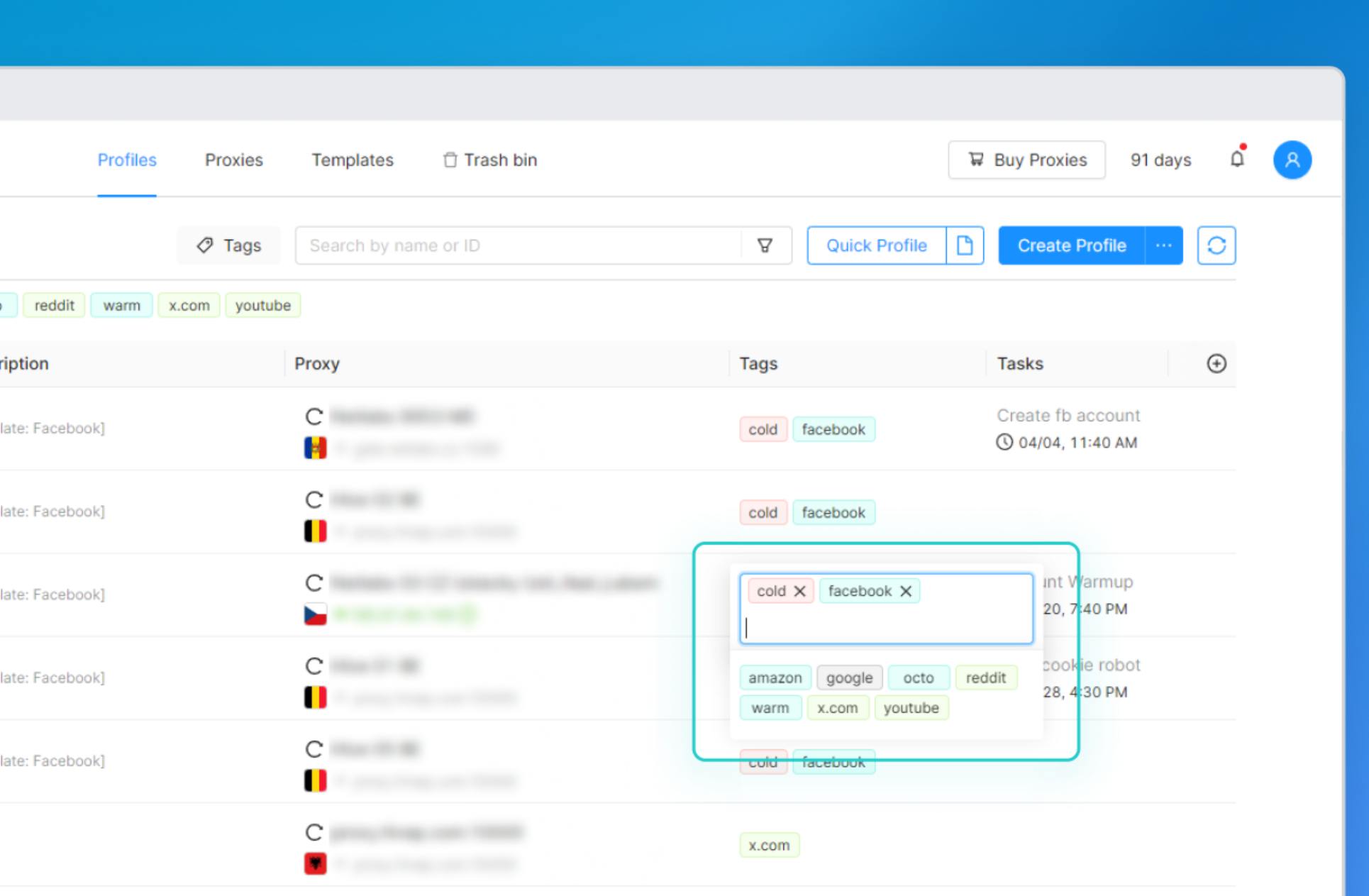
Tags are useful not only for teams but also for solo users. When there are dozens or hundreds of profiles, a clear labeling system saves time and reduces the risk of errors.
A team lead can flexibly manage access permissions, for example, hiding certain profile groups from some employees and opening them to others. This helps separate areas of responsibility and minimize accidental actions in the wrong profiles.
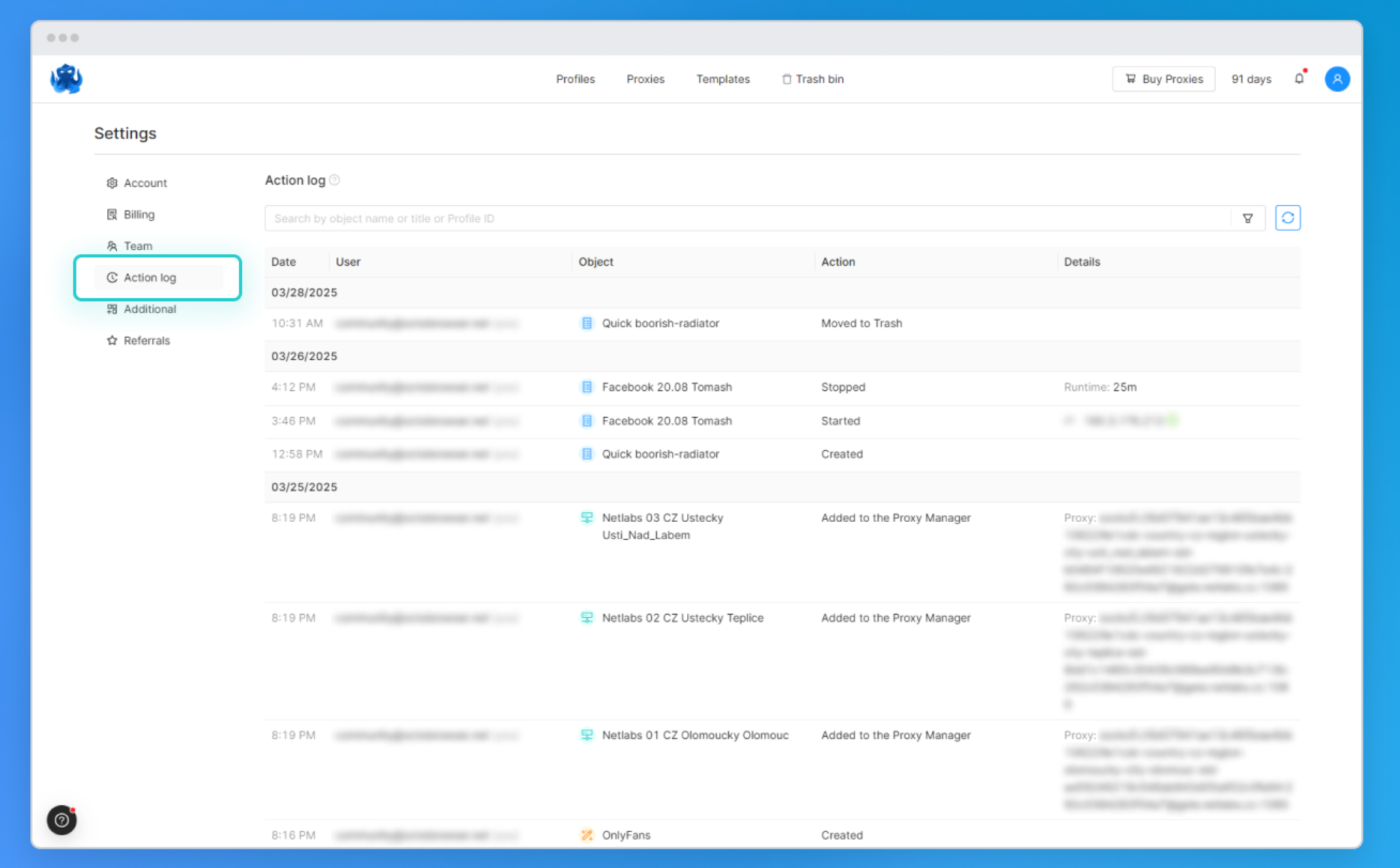
The master account can track the team’s actions through the activity log. It shows who made changes, when, and what modifications were made over the last 30 days. This simplifies process control, resolving disputes, and working with large teams.
You will find Octo Browser useful if you are involved in:
- traffic arbitrage;
- managing networks of YouTube channels;
- e-commerce listings;
- web scraping;
- cold sales via LinkedIn;
- participating in airdrops.
Octo Browser Contacts
- Website: octobrowser.net
- Company: Octo Browser
- Website language: Ukrainian, Russian, English, Portuguese, and others.
Tech Support language: English
Technical Support Contact Information
Technical support is available via Telegram, WhatsApp, and Online chat.
Payment methods: Bank cards (Visa, MasterCard, UnionPay), Cryptocurrency.









Luigi –
Excelente navegador antidetect. Eu mesmo o utilizo. Gosto muito do fato de que o suporte técnico responde rapidamente e me explica os meus erros quando faço algo de forma incorreta 🙂